Best Roadmap Software in 2026: Top Tools for Projects
Take a look at my ranking of the best roadmap software to find the tool that fits your needs. I compare each platform's strengths and weaknesses to help you make an informed decision.



Written by Sofia Oliber (Writer)
Reviewed by Kate Hawkins (Editor, Writer)
Facts checked by Simona Ivanovski (Fact-Checker, Formatter)
Last Updated:
All our content is written fully by humans; we do not publish AI writing. Learn more here.
Key Takeaways: This Is the Best Roadmap Software
- ClickUp — Best all-in-one roadmap tool. Try ClickUp’s free plan or any paid plan with a money-back guarantee.
- monday.com — Flexible software for complex teams. Test its Pro plan with its free 14-day trial.
- Wrike — Structured interface to streamline projects. Sign up for a free trial of its Team plan.
- Zoho Sprints — Best option for Agile teams. Try it with a 14-day free trial of the Starter plan.
- Scoro — Project management software with CRM integrations. Test out any paid plan with a 14-day free trial.
Facts & Expert Analysis: Why You Need Roadmapping Software
- Project roadmaps are dynamic tools: Unlike static planning, which shows a snapshot that often goes stale, roadmaps can combine key dates, resource allocation and task management into one visual and easy-to-digest format that evolves over time.
- Roadmaps accelerate decision-making: By aligning projects with business objectives and potential ROI, strategic roadmaps help organizations avoid prioritizing low-value actions and focus on delivering the greatest impact.
- Components of a roadmap: A roadmap will clarify project goals and objectives, milestones, deliverables, timelines, resource allocations, risks and dependencies.
A project roadmap is a professional tool for visualizing how milestones, stages and budgets interact over time. The best roadmap software improves project flows, making it easier to focus on execution. To explore even more software options, check out our ranking of the best project management tools.
Cloudwards’ Choice: ClickUp
 Cloudwards' Choice: ClickUp
ClickUp is the best option in my book thanks to its flexibility and wide feature set. It’s user-friendly for beginners but robust enough to deliver actionable results for larger teams. It has roadmap templates and customizable views. Try ClickUp using its money-back guarantee.
What Is a Roadmap in Project Management?
A roadmap in project management is a visualization tool that makes sure all stakeholders are on the same page with big-picture goals, milestones, timelines, dependencies, budgets — and the team’s status within the roadmap. Roadmaps are particularly helpful in product management development and service management.
Many project management tools do a good job of digging into the details of tasks and subtasks, but the best roadmap tools also have the ability to zoom out and not lose the strategic planning. Tools do this by offering a variety of views across different project management methodologies, dashboards to help track progress in visual charts, and even roadmap templates for teams to customize to their specific needs.
The 5 Best Roadmap Tools Compared
The table below compares the best roadmap tools in terms of key features and pricing. If you’re looking for free tools to get started, check out our ranking of the best free project management software.
Avoid Costly Project Management Mistakes – Get Free Tips Today!

- Discover 10 fundamentals of project management
- Understand step-by-step plans for PM execution
- Learn tips to avoid 5 common mistakes by beginners
| PM Tool: | Free Plan & Users | Price per User | Best For | Unique Selling Point | Limitations |
|---|---|---|---|---|---|
 | Unlimited | $7 per month (one-year plan) | Customized & flexible workflows | Advanced functionalities & money-back guarantee | Steep learning curve |
 | Up to 2 | $12 per month (one-year plan) | Mixed teams | Advanced reporting & functionalities | Rigid pricing |
 | Unlimited | $10 per month (one-month plan) | Competitive teams | Customizable reports | Time-consuming setup |
 | Up to 3 | $1 per month (one-year plan) | Agile teams | Sprints, backlogs & more | Complexity |
 | No, free trial available | $19.90 per month (one-year plan) | Agencies or consulting firms | Client management & finance forecasting | Higher prices |
Hands-On Testing
I signed up for and tested each tool manually to get the full hands-on experience. Learn about each service’s features, platform, integrations and automations, and performance.
Feature Comparison Overview
All five tools support roadmaps, but they present some structural differences.
| Tool: | View Types | Time Tracking | Custom Fields | Dashboards | Real-Time Collaboration |
|---|---|---|---|---|---|
| 16: list, board, Gantt & more | Customizable with cards or widgets | |||
| 7: kanban, timeline, calendar & more | Yes, for boards and portfolios | |||
| 9: Gantt, list & custom views | Yes, personalized options | |||
| 8: list, board, sheet, global, chart & more | Yes | |||
| 11: pipeline, project, planner, task & more | Yes, including financial forecasting |
Platform & Administration
All of the platforms offer a mobile app, and Scoro’s web app has a responsive design that functions well on mobile browsers.
| Tool: | Apps | Storage | File Management | Permissions |
|---|---|---|---|---|
| | 60MB to unlimited | Embedded files, AI assistant & more | Custom permissions |
| | 500MB-100GB | “Files” column & tabs | Multilevel & advanced permissions |
| | 2GB-50GB per user | Proofings & approvals | Controlled admin permissions |
| | 500MB-250GB | Upload files to projects & tasks | Custom & field-level |
| Web | 1GB-10GB | Upload files to projects & tasks | Granular permissions management |
Integration & Automations
Each software solution has a range of automation features and integrations.
| Tool: | Integration Count | Top Integrations | Native vs Third-Party | Automation Features |
|---|---|---|---|---|
| 1,000+ | Zoom, GitHub, HubSpot | Hybrid | Advanced automations & apps |
| 200+ | Slack, Google Sheets, Adobe | Hybrid | Advanced automations |
| 400+ | Microsoft Teams, Zoom, Miro | Hybrid | Advanced automations |
| 40+ | Zapier, GitLab, Office 365 | Mostly native | Advanced automations |
| 60+ | HubSpot, Bamboo HR, Xero | Mostly third-party | Via triggers & actions |
Usability & Performance Assessment
In roadmap software, the most powerful feature sets often come with a steeper learning curve. I kept this in mind while assessing how user-friendly and responsive each tool is.
| Tool: | Learning Curve | Interface Design | Mobile Experience | Customer Support |
|---|---|---|---|---|
| Intermediate | Customizable | Excellent (90% parity) | Phone, chat, email |
| Minimal | Intuitive & flexible | Excellent (95% parity) | 24/7 chat, live webinars |
| Intermediate | Customizable but cluttered | Good (70% parity) | Phone, chat, help center |
| Difficult | Feature-dense | Good (65% parity) | Knowledgebase, phone |
| Intermediate | Clean but less intuitive | Good(60% parity) | Help center, phone, email |
Best Roadmap Software
I’ll dive into the details of the top roadmapping tools to give you a deeper sense of their capabilities.
1. ClickUp — Overall Best Roadmap Tool
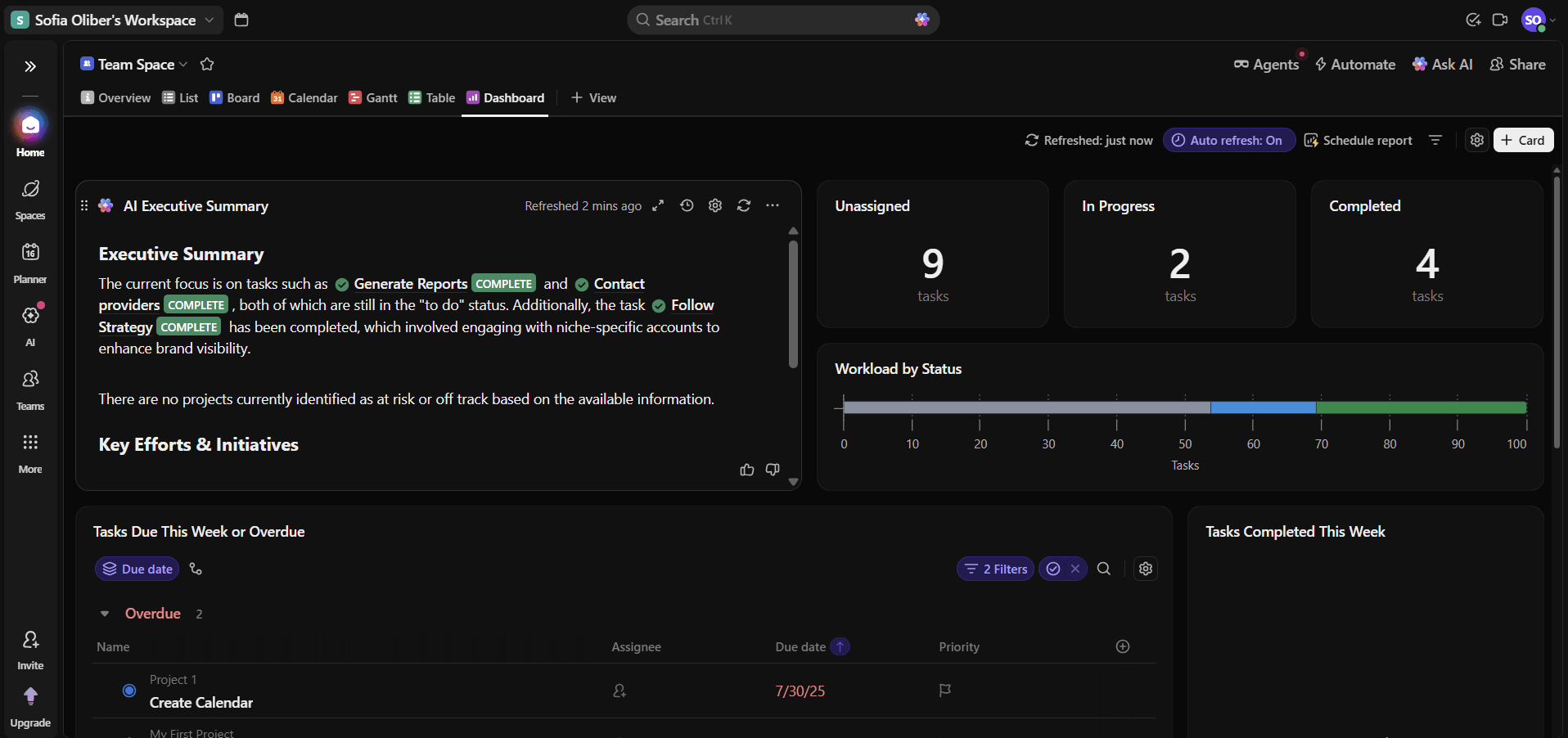
ClickUp is ideal for creating high-level roadmaps directly linked to tasks, goals and documents.
What Makes ClickUp Special
ClickUp’s templates, automation and AI tools speed up setup and automatically update statuses, priorities and goals as work progresses. It works best for teams that want roadmaps tightly connected to day-to-day execution, since roadmap items link directly to tasks and workflows.
When to Choose ClickUp
Choose ClickUp if you want a project management tool with high-level roadmap views that stay closely connected to tasks and goals, plus flexible workflow customization. Read more in our ClickUp review, or test it out with its excellent free plan or any paid plan’s money-back guarantee.
- Basic functionality with some limitations
- All prices per user
- All prices per user
2. monday.com — Project Roadmap Tool for Growing Teams
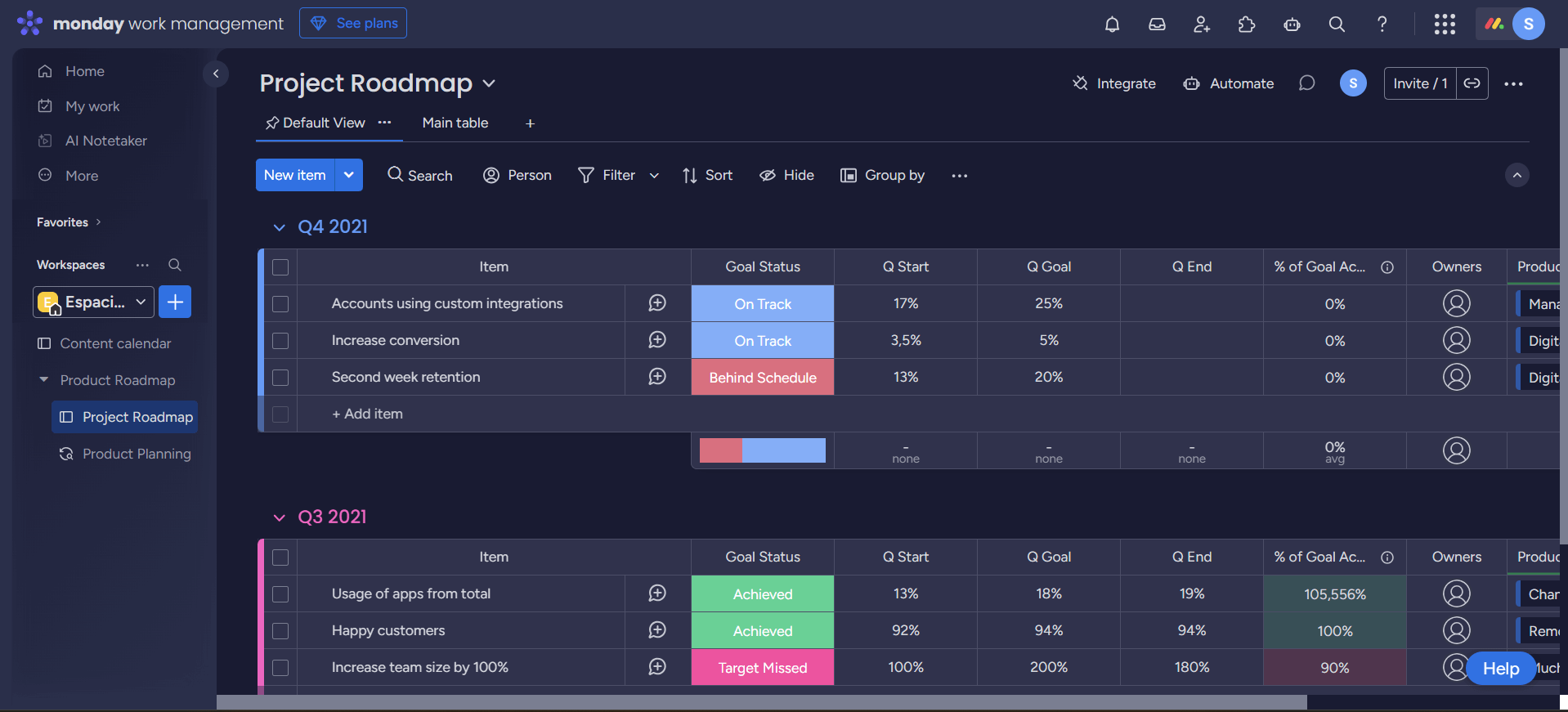
monday.com is a great option for anyone building project roadmaps for the first time, thanks to its project roadmap template and visually organized workflows.
What Makes monday.com Special
Teams can map out initiatives and keep roadmaps up to date while using automations and integrations to provide real-time clarity on project status. This makes monday.com particularly well suited for organizations that want clear, visual roadmaps with enough depth to manage more complex projects.
When to Choose monday.com
If your team needs visual roadmaps that can scale with your projects, monday.com is a strong option thanks to its flexibility and advanced features, including multiple roadmap views, automations and integrations. Learn more in our monday.com review, or test its Pro plan free for 14 days.
- Maximum users: 2
- Minimum users: 3; All prices per user
- Minimum users: 3; All prices per user
More plans
- Minimum users: 3; All prices per user
- Enterprise-level features.
3. Wrike — Customizable Project Roadmap Tool
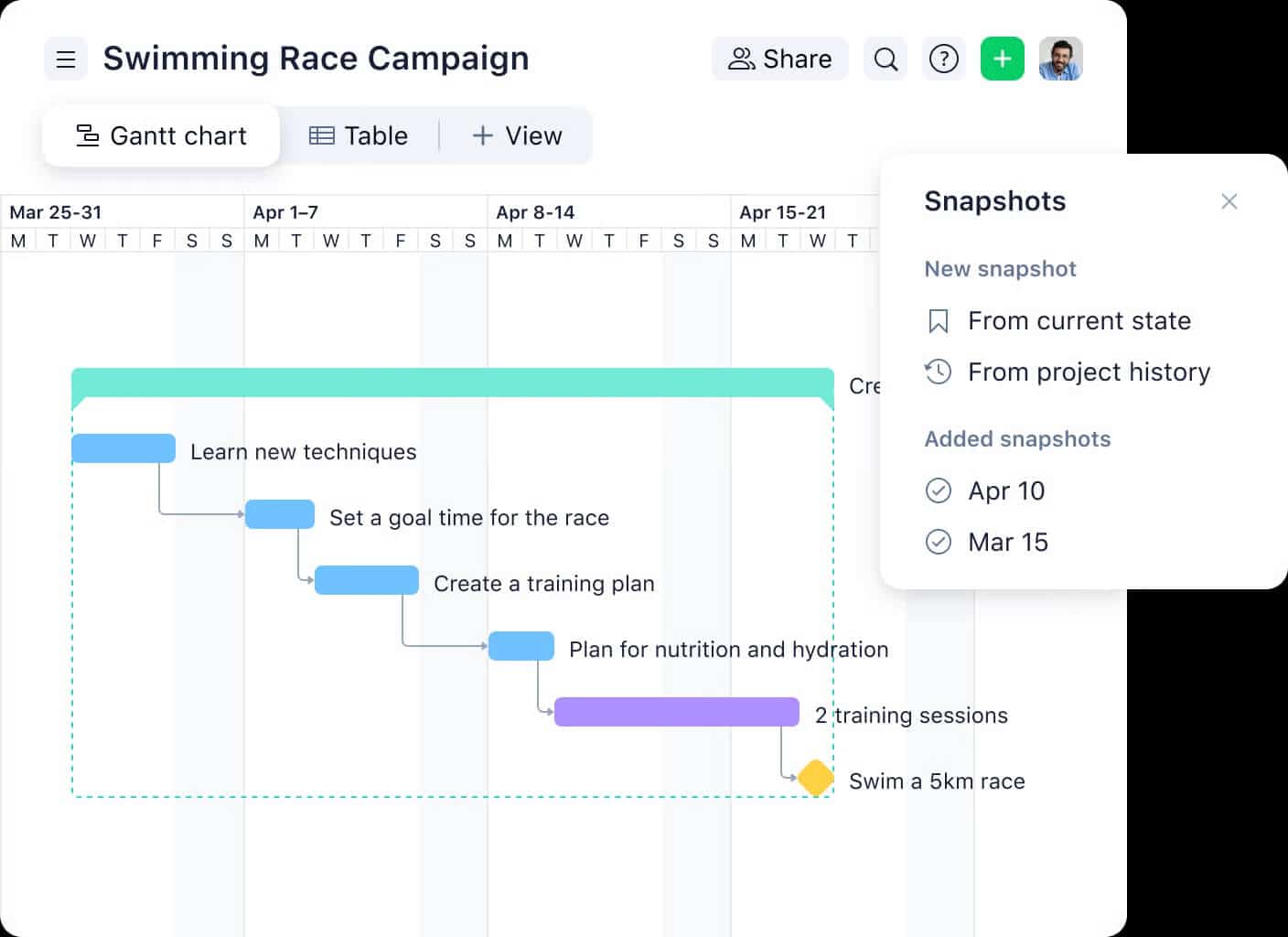
Wrike differentiates itself with structured and detailed task management options, allowing teams to map dependencies, manage multi-project roadmaps with approvals and allocate resources with precision.
What Makes Wrike Special
Wrike is highly customizable, allowing users to manage multiple complex roadmaps, plan resources and generate detailed reports. These capabilities make it more suitable for larger organizations than teams looking for lightweight planning functionality.
When to Choose Wrike
Choose Wrike if your projects have multiple collaborators, approval processes and layers. Read more in our Wrike review, or try its Business plan free for 14 days.
- Unlimited users. Basic features.
- Price is per user. Plans for 5, 10 and 15 users.
- Price is per user. No monthly option. Plans for 5 to 200 users.
More plans
- For large teams; Enterprise-grade security and scalability; Plans for 5 to an unlimited number of users.
- For teams with complex work needs; Advanced tools and analytics for complex work; 5 to unlimited users
4. Zoho Sprints — Roadmap Tool for Agile Teams
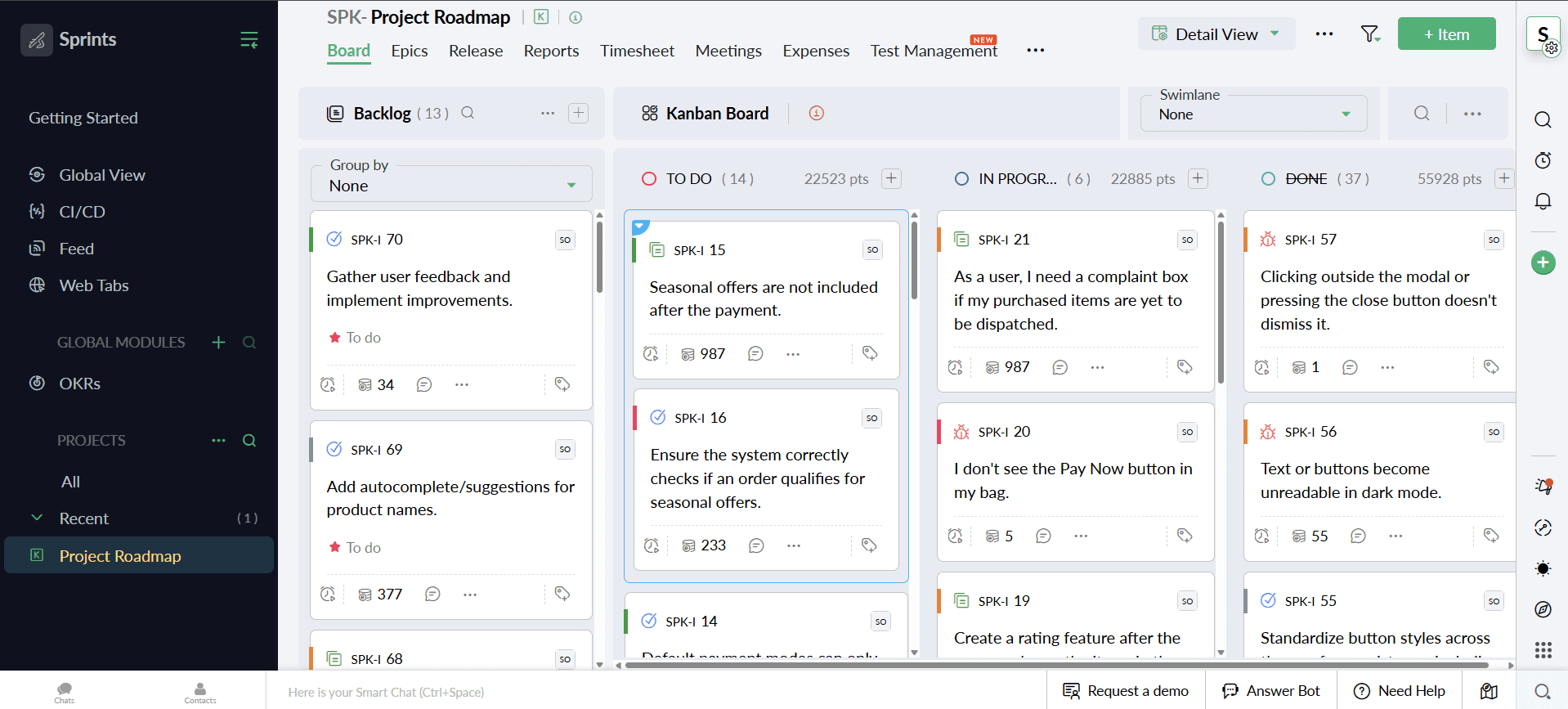
Zoho Sprints is built for sprint-driven teams that plan roadmaps through structured backlogs and interactive timelines. This helps teams align day-to-day tasks with higher-level goals, making it possible to build simple roadmap views without a dedicated tool.
What Makes Zoho Sprints Special
Burnup and burndown charts help teams track progress alongside broader roadmap goals, striking a practical balance between Agile execution and advance planning. This makes Zoho Sprints well suited for Agile product teams that want lightweight roadmap planning that’s closely tied to sprint execution.
When to Choose Zoho Sprints
Zoho Sprints is ideal if you manage Agile projects and need an affordable, sprint-based tool that can support basic roadmap planning. However, there are no roadmap templates, so you need to be confident in managing the software yourself. Discover more about the platform in our Zoho Sprints review, or take it for a spin with a 15-day free trial.
5. Scoro — Project Roadmap Tool With Budgeting Features
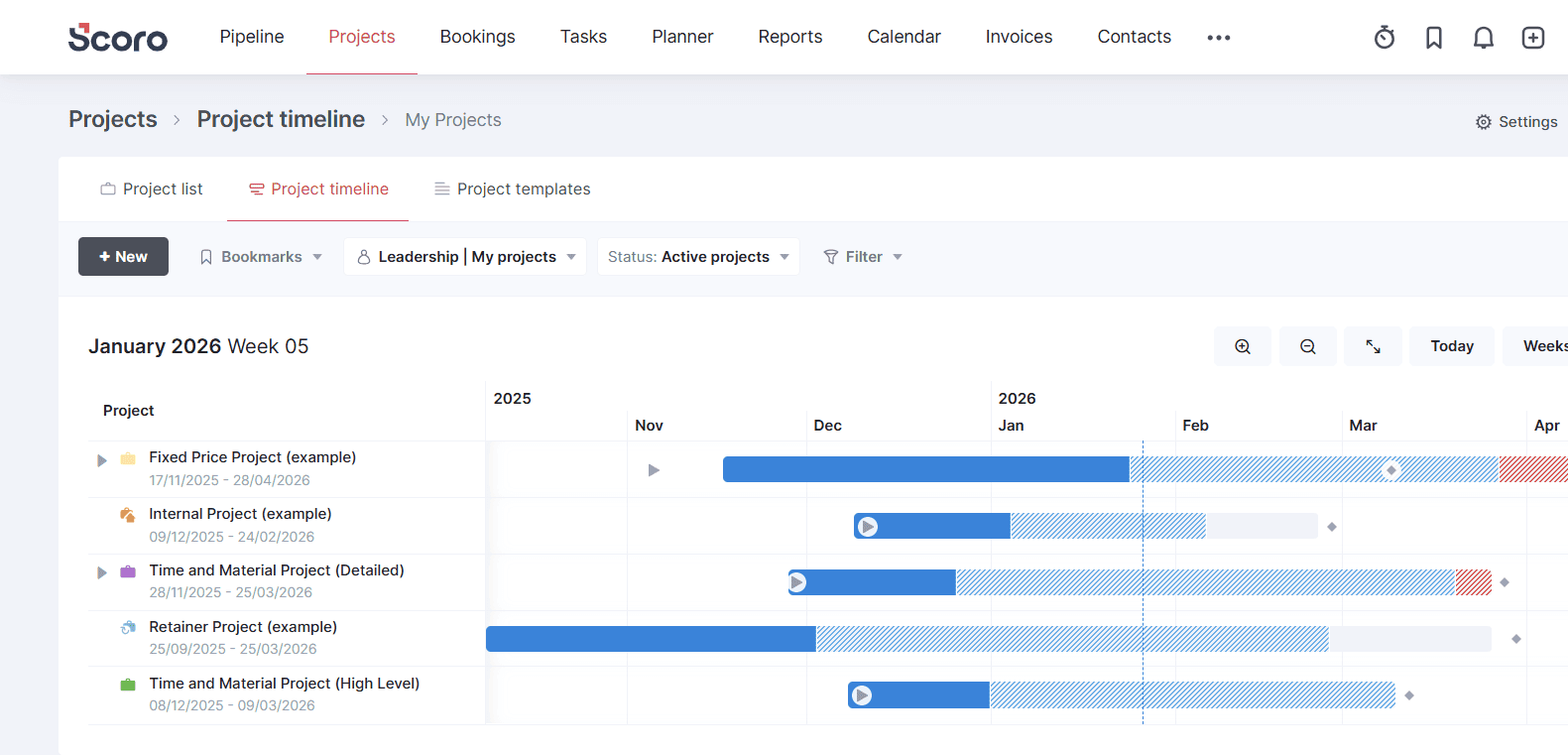
Scoro helps teams build financially grounded roadmaps connected to budgets, resources and broader financial planning.
What Makes Scoro Special
Scoro combines project roadmaps with financial and CRM insights, giving teams a clear view of budgets, resources, and strategic priorities. Teams can prioritize projects based on business impact and keep strategic goals aligned.
When to Choose Scoro
Scoro is a strong option if you need a tool to align project roadmaps with budgets and financial priorities. However, it also doesn’t have roadmap templates. Test the Pro plan free for 14 days, or read our Scoro review to learn more.
- Price per user/month; Projects, Calendars, Task list & task board, Gantt chart & dependencies, Contacts & customers, Quotes, Bills, invoices & receipts, Dashboards, Default labor cost, Detailed work reports
- Price per user/month; Everything in Core, plus: Project budgets & templates, Quoted vs Actual table, Retainer management, Recurring tasks, Billable time, Role-based labor cost, Time off, Multiple currencies, Triggers & actions, Detailed financial reports
- Price per user/month; Everything in Growth, plus: Planner, Timesheet, Task matrix, Price lists, Cost and profit forecast, Revenue recognition & forecast, Sales pipeline & report, Team performance report, Individual time allocation, Supplier management
- Everything in Performance, plus: Company budgets & forecasts, Time locking, Approval flows, WIP report, Multi-account reporting, Periodization of invoice lines, Single sign-on, User provisioning, FTP integration
Methodology: Our Testing Framework & How You Choose
I evaluated each roadmap tool based on how well it performs core project management tasks, facilitates collaboration and supports project roadmaps with flexible visualization.
Final Thoughts
You need the best roadmap tool to turn your insights and data into clear business goals. ClickUp is the top option on the market right now, and you can try ClickUp risk-free thanks to its money-back guarantee. If ClickUp isn’t right for you, consider monday.com, Wrike or Zoho Sprints.
Will you try any of these roadmapping tools? Does your company use roadmaps? How does your team implement them? I’d love to hear your thoughts in the comments. Thanks for reading.
FAQ: Best Roadmap Tools
ClickUp is the best tool for a roadmap because it supports high-level roadmap planning as well as task management and goal tracking.
You can create a roadmap in Excel, but it will be simple and lack professional features like automation, collaboration and dashboards.
Yes, Jira has a roadmap tool designed to suit software development teams.

