Best Project Management Software That Integrates With QuickBooks in 2026
Managing projects and finances separately can lead to missed details and duplicated work. Avoid this by choosing project management software that integrates with QuickBooks. In this article, I recommend and compare the best options.



Written by Mehak Siddiqui (Writer)
Reviewed by Kate Hawkins (Editor, Writer)
Facts checked by Simona Ivanovski (Fact-Checker, Formatter)
Last Updated:
All our content is written fully by humans; we do not publish AI writing. Learn more here.
Key Takeaways: This Is the Best Project Management Software That Integrates With QuickBooks
- monday.com — Best overall project management tool that integrates with QuickBooks. Start a 14-day free trial of the Pro plan.
- Wrike — Enterprise-grade project and financial management software that integrates with QuickBooks. Start a 14-day free trial of the Business plan.
- Zoho Projects — Affordable project and time-tracking software with QuickBooks integration. Get a 15-day free trial of the Premium plan.
- Scoro — All-in-one project and financial management software for agencies and professional services. Start a 14-day free trial.
- Teamwork — Client-focused project and time-tracking software with Basic and Advanced QuickBooks integrations. Start a 30-day free trial.
Facts & Expert Analysis About QuickBooks Project
- ManagementQuickBooks is accounting software: QuickBooks is designed for expense tracking but not for managing tasks or collaborating. This is why you need a dedicated project management tool that can connect to QuickBooks.
- Choosing the right integration reduces admin work: Linking your project management tool to QuickBooks eliminates the need for manual syncing and boosts operational efficiency.
- Check the integration depth: Some tools offer basic integrations, while others have a variety of options. Take your time to choose a platform that offers the right depth of integration for your billing workflows.
Choosing project management software that integrates with QuickBooks can help teams effortlessly sync tasks and time with finances. In this guide, I recommend some of the best project management tools that work with QuickBooks Online and QuickBooks Desktop to reduce manual data entry and support comprehensive financial reporting.
Cloudwards’ Choice: monday.com
 Cloudwards' Choice: monday.com
monday.com is my top recommendation because it provides a simple way to organize workflows and connect everything to QuickBooks Online. It’s ideal for small teams, growing businesses and anyone who wants clarity between work in progress and billed work. Try the Pro plan free for 14 days to test it for your business needs.
The Best QuickBooks Project Management Tools Compared
| PM Tool: | Free Plan | Price per User | Best For | USP | Limitations |
|---|---|---|---|---|---|
 | , 2 members | $12 per month (one-year plan) | Small to mid-sized teams | Intuitive interface, visual layout | Expensive for large teams |
 | , unlimited users | $10 per month (one-month plan) | Larger teams | Strong time-tracking features | Interface feels complex |
 | , up to 5 users | $4 per month (one-year plan) | Small to mid-sized teams | Affordable and user-friendly, tight integration with Zoho ecosystem | Limited advanced reporting tools |
 | $19.90 per month (one-year plan) | Agencies & service teams | Combines project, finance, billing & reporting in one platform | Expensive | |
| Teamwork | , up to 5 users | $10.99 per month (annual plan) | Client-focused teams | Strong client project and time tracking with QuickBooks sync | Limited customization |
Our Hands-On Testing of QuickBooks Project Management Software
Feature Comparison Overview
| Tool | View Types | Time Tracking | Custom Fields | Dashboards | Real-Time Collab |
|---|---|---|---|---|---|
| 12: list, board, timeline, calendar, etc. | (Pro plan) | |||
| 9: table, board, list, calendar, Gantt, chart | (Business plan) | |||
| 5: list, kanban, Gantt, plain, classic task views | (Premium plan) | |||
| 4: list, board, Gantt, calendar | (all plans) | |||
| Teamwork | 4: list, table, board, Gantt | (all plans) |
Platform & Administration
| Tool | Apps | Storage | File Management | Permissions |
|---|---|---|---|---|
| , , , , web | 500MB-1000GB | File column, gallery view, versioning, uploads from cloud drives | Board, dashboard, workspace & account level |
| , , , , web | 2GB-50GB per user | Upload files from local/computer, Box, Dropbox, Google Drive, etc.; file versioning | Access roles: full, editor, limited, read-only; custom roles on Enterprise plans |
| , , , , web | 5GB-150GB per user | Attach files to tasks & milestones, integrated with Zoho Docs & cloud drives | Project, task & role-based permissions |
| , , , | 1GB-10GB per user | Centralized documents attached to projects/tasks | Role-based access with detailed permissions |
| Teamwork | , , , | 100MB-500GB | File uploads on tasks, projects & messages | Strong permissions for users/clients with role controls |
Integration & Automations
| Tool | Integration Count | Top Integrations | Native vs Third-Party | Automation Features |
|---|---|---|---|---|
| 200+ | QuickBooks, Slack, Gmail, Outlook, Jira, Dropbox | Native and third-party | Workflow builder with triggers and actions (e.g., auto-notify, auto-create items) |
| Thousands via Wrike Integrate | QuickBooks, Google Drive, Zoom, GitHub, Jira | Mostly third-party | Powerful workflow automation, AI assistance, status-based triggers and approvals |
| More than 300 | QuickBooks, Zoho CRM, Zoho Desk, Google Workspace, Microsoft Office 365 | Mostly native (via Zoho ecosystem), with some third-party | Workflow automation (task alerts, status updates, reminders) |
| Thousands via Zapier | QuickBooks, Google Calendar, Zapier | Mostly third-party | Automated billing, task reminders, status triggers |
| Teamwork | Thousands via Zapier | QuickBooks, Slack, Google Drive, Zapier | Mostly third-party | Task triggers, due date automations, time notifications |
Usability & Performance Assessment
| Tool | Learning Curve | Interface Design | Mobile Experience | Customer Support |
|---|---|---|---|---|
| Easy | Visual, color-coded, intuitive | Very good | 24/7 chat, extensive docs |
| Intermediate-difficult | Flexible but complex | Good | Email, community forum |
| Easy-intermediate | Functional, business-focused | Good | Email, phone, knowledgebase |
| Intermediate-difficult | Functional and data-rich | Good | Email, contact form, knowledgebase |
| Teamwork | Intermediate | Clean and structured | Good | Email, chat support, help center |
5 Best Project Management Software With QuickBooks Integration
The best project management tools that integrate with QuickBooks Desktop and QuickBooks Online include monday.com, Wrike, Zoho Projects, Scoro and Teamwork.
1. monday.com — Best Overall Project Management Tool That Integrates With QuickBooks
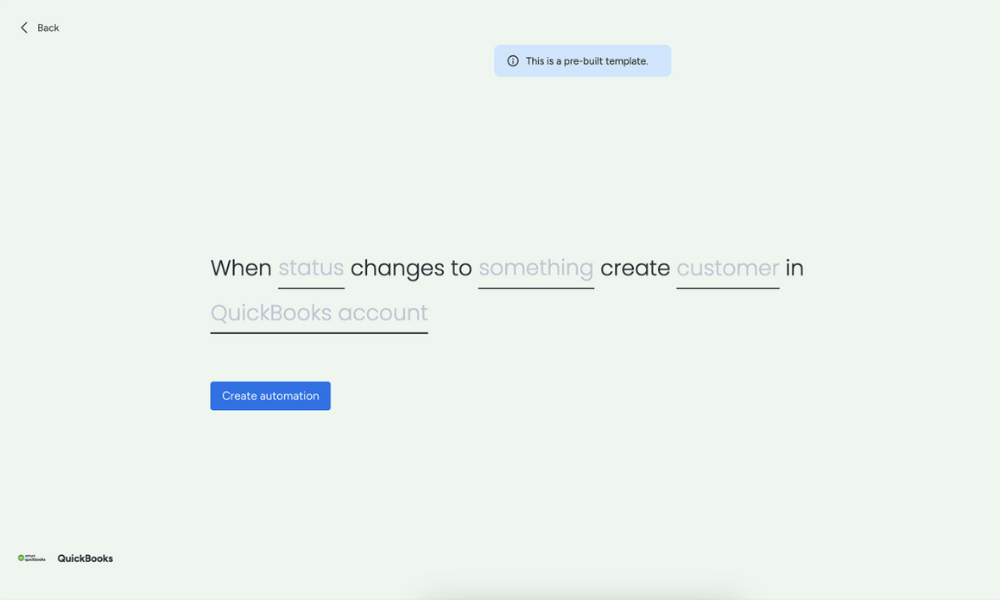
with its QuickBooks integration.
monday.com is my top recommendation, thanks to its intuitive interface and comprehensive suite of features, as explained in our monday.com review.
Its native QuickBooks Online integration is a new feature that lets you sync key financial data or accounting records to your workflows or dashboards. Keep in mind that it works only with QuickBooks Online and not the QuickBooks Desktop software.
Avoid Costly Project Management Mistakes – Get Free Tips Today!

- Discover 10 fundamentals of project management
- Understand step-by-step plans for PM execution
- Learn tips to avoid 5 common mistakes by beginners
When to Choose monday.com
Choose monday.com if you want a project management tool that balances ease of use and customization. Begin a 14-day free trial of monday.com’s Pro plan to try it out for yourself.
- Maximum users: 2
- Minimum users: 3; All prices per user
- Minimum users: 3; All prices per user
More plans
- Minimum users: 3; All prices per user
- Enterprise-level features.
2. Wrike — Enterprise-Grade Project and Financial Management Software That Integrates With QuickBooks
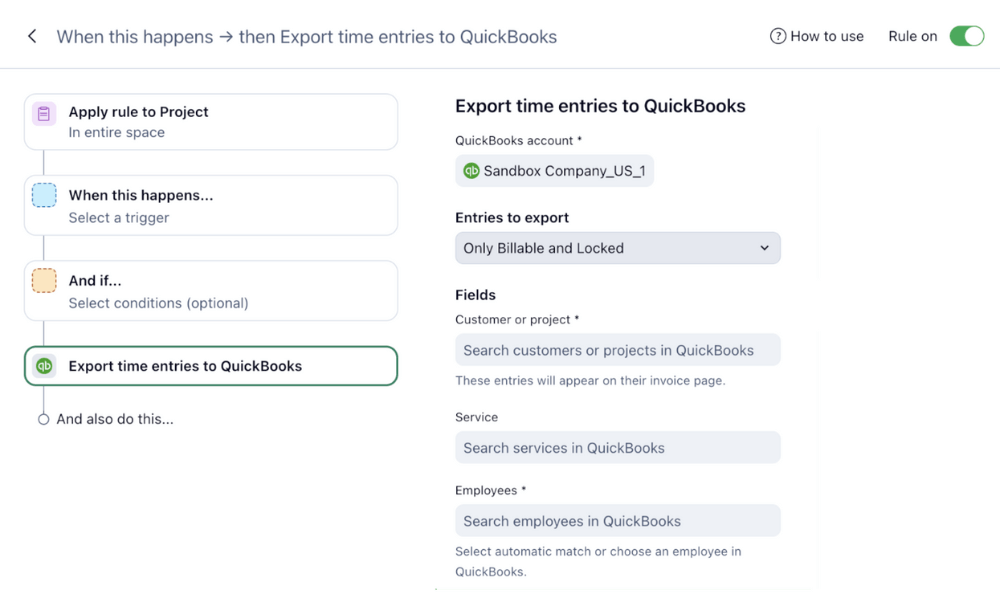
Wrike is an enterprise-grade project and work management platform built to support complex projects and cross-team collaboration. Its QuickBooks integration lets you export tracked time entries directly into QuickBooks, helping streamline your billing and invoicing processes. Learn more in our Wrike review.
When to Choose Wrike
Choose Wrike if you’re looking for a robust project management solution that aligns time tracking with financial tasks in QuickBooks. It can be quite complex to set up, so it may be overkill for smaller teams with simpler needs. Start a 14-day free trial of the Business plan to try it out.
- Unlimited users. Basic features.
- Price is per user. Plans for 5, 10 and 15 users.
- Price is per user. No monthly option. Plans for 5 to 200 users.
More plans
- For large teams; Enterprise-grade security and scalability; Plans for 5 to an unlimited number of users.
- For teams with complex work needs; Advanced tools and analytics for complex work; 5 to unlimited users
3. Zoho Projects — Affordable Project and Time-Tracking Software That Integrates With QuickBooks
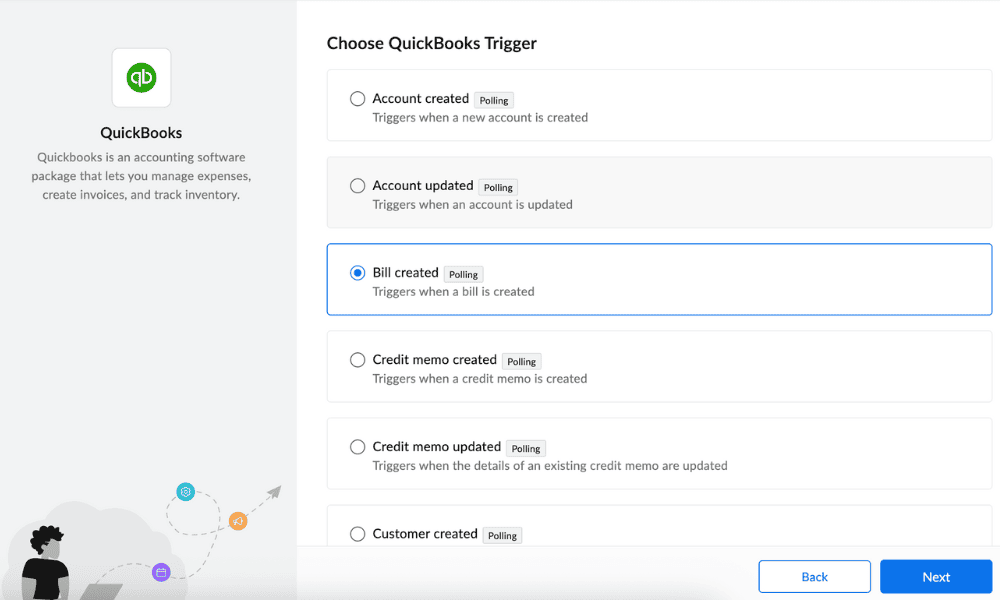
Zoho Projects is one of the most affordable project management tools with built-in time tracking and other features, as detailed in our Zoho Projects review. You can send information between QuickBooks and Zoho Projects via Zoho Flow, and the no-code drag-and-drop builder allows you to build your own custom integrations between platforms.
When to Choose Zoho Projects
Choose Zoho Projects if you want a budget-friendly solution to link project progress with financial records. You can use it to create customized invoices or streamline financial reporting in QuickBooks. Try the Premium or Enterprise plan free for 15 days.
4. Scoro — All-in-One Project and Financial Management Software for Agencies and Professional Services
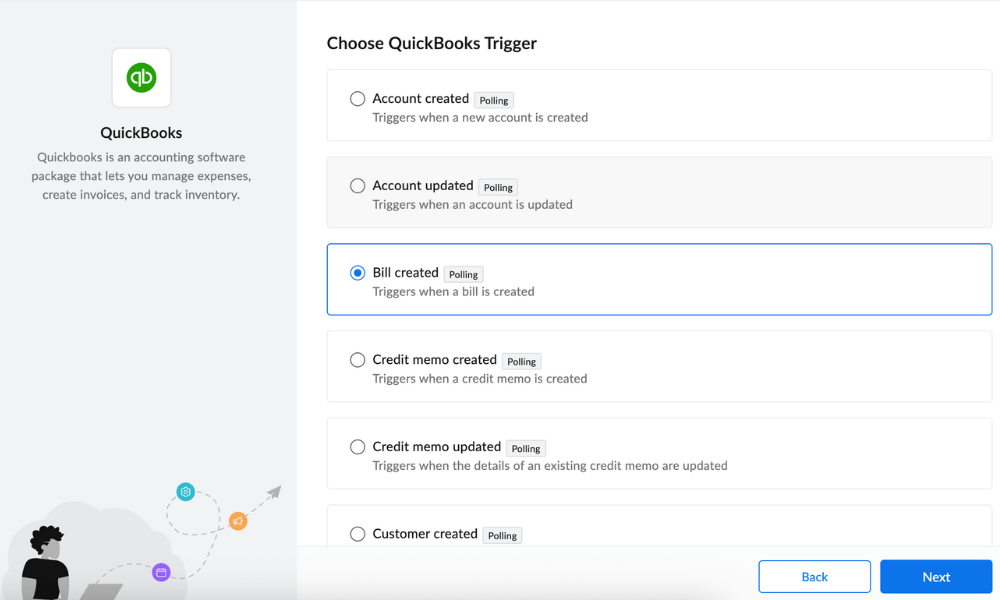
Scoro is an all-in-one business management platform for project management and financial oversight. It offers a native QuickBooks integration to connect project delivery with accounting workflows. This provides a clear picture of project costs, revenue and profitability at every stage. Read our Scoro review to learn more about its features.
When to Choose Scoro
Scoro is an ideal choice for agencies and professional services teams that bill clients by time or project, manage multiple engagements simultaneously and need accurate financial reporting alongside delivery metrics. You’ll need Scoro’s Growth plan, which can be expensive for larger teams. Start a 14-day free trial to see if it works for you.
- Price per user/month; Projects, Calendars, Task list & task board, Gantt chart & dependencies, Contacts & customers, Quotes, Bills, invoices & receipts, Dashboards, Default labor cost, Detailed work reports
- Price per user/month; Everything in Core, plus: Project budgets & templates, Quoted vs Actual table, Retainer management, Recurring tasks, Billable time, Role-based labor cost, Time off, Multiple currencies, Triggers & actions, Detailed financial reports
- Price per user/month; Everything in Growth, plus: Planner, Timesheet, Task matrix, Price lists, Cost and profit forecast, Revenue recognition & forecast, Sales pipeline & report, Team performance report, Individual time allocation, Supplier management
- Everything in Performance, plus: Company budgets & forecasts, Time locking, Approval flows, WIP report, Multi-account reporting, Periodization of invoice lines, Single sign-on, User provisioning, FTP integration
5. Teamwork — Client-Focused Project and Time-Tracking Software With QuickBooks Integration
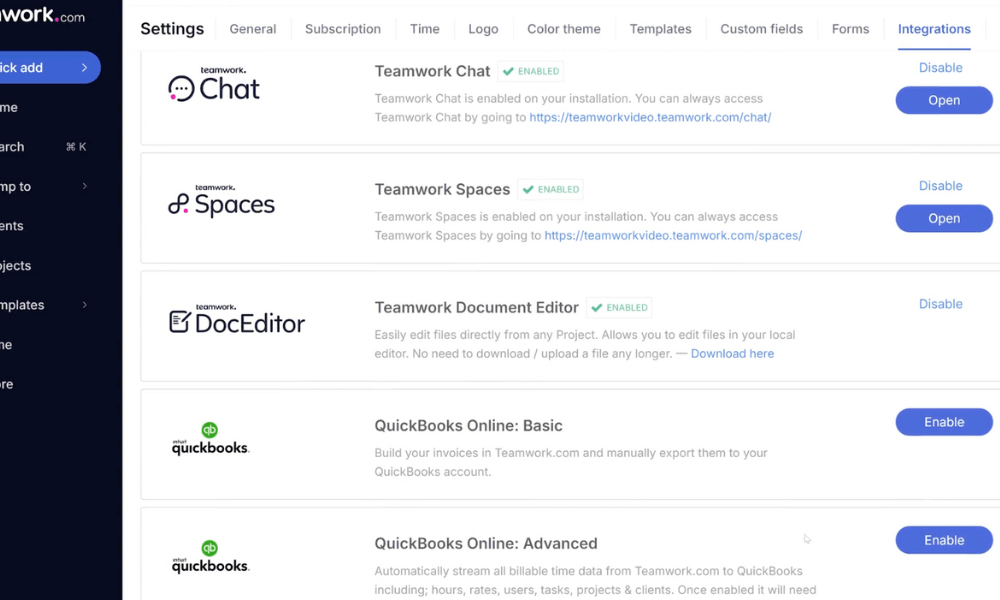
Teamwork is a project management platform designed for client management. It offers Basic and Advanced QuickBooks integrations that let you sync billable hours and project expenses directly with QuickBooks. The Basic integration has limited capabilities and requires manual steps, while the Advanced integration is automated and comprehensive.
When to Choose Teamwork
Choose Teamwork if your business revolves around client projects and billable time. The software provides a straightforward platform to bridge project execution and accounting with minimal friction. Get the Teamwork Deliver plan for the Basic QuickBooks integration and the Grow plan for the Advanced integration. Start a 30-day trial to test it out risk-free.
| Plan: | Price (Per User per Month) |
|---|---|
| Free | $0 |
| Deliver | $10.99 |
| Grow | $19.99 |
| Scale | Custom |
Our Testing Methodology & How to Choose the Best Project Management Tools With QuickBooks Integration
I tested dozens of tools to shortlist my top recommendations. I assessed real-world use cases, focusing on project delivery, team workflows and financial tracking.
Final Thoughts
If you’re looking for a straightforward way to connect project management with QuickBooks Online, monday.com stands out as the top choice. It’s ideal for most small to mid-sized teams, and you can try monday.com’s Pro plan free for 14 days.
Have you tried any of the tools I’ve recommended? Are you looking for a tool that’s quick to adopt or one built for complex workflows? Do you have further questions about QuickBooks integrations that I haven’t answered? Please share in the comments below, and thank you for reading.
FAQ: QuickBooks Compatible Software
QuickBooks includes basic project management features such as expense tracking, but it’s limited in task management, collaboration and reporting. This necessitates using dedicated project management tools such as monday.com that can integrate with QuickBooks Online.
Many project management tools integrate with QuickBooks Online, including monday.com, Wrike, Scoro, Teamwork and Zoho Projects. These integrations help sync time tracking, invoices, expenses or project data with QuickBooks, reducing manual work.
Microsoft Project doesn’t offer a built-in QuickBooks integration. It’s best to use a tool like monday.com, Wrike or Zoho Projects that offers easy QuickBooks integrations.