Amazon Kindle Colorsoft Review
I put the Colorsoft through hands-on testing to see whether the color display truly enhances the reading experience -- and whether it’s worth the extra cost. Take a look at this full Kindle Colorsoft review for all the details.

— Last Updated: 2025-12-21T23:39:05+00:00 Facts checked by Igor Kurtz
Key Takeaways: What Is Kindle Colorsoft & Is It Good to Use?
- The Kindle Colorsoft is an upgrade from the Paperwhite, with a color e-ink display and up to 32GB of storage.
- The Colorsoft is lightweight, comfortable to hold and intuitive to use, even for Kindle beginners.
- It’s best for illustrated content like magazines or graphic novels; otherwise, the Paperwhite offers the same experience for less money.
Standout Features: What’s Different About Kindle Colorsoft?
- Color e-ink display: Amazon’s first color screen brings subtle hues to e-books, magazines and comics.
- Standard and vivid modes: Switch between two color styles: “standard” for a more natural look or “vivid” for a richer tone.
- Familiar design, premium finish: The Colorsoft has that classic Kindle shape but a smoother, matte texture and rounded edges for better grip and comfort.
Kindle Colorsoft
Pros:
- Front light auto-adjusts
- 32GB of internal storage
- Color display ideal for graphic novels
Cons:
- Significant price jump from standard models
The Kindle Colorsoft is one of the best Kindle models, with a color display that brings illustrations and images to life. However, it’s considerably pricier than Amazon’s other options and might not be worth the cost if you’re just looking for a basic e-reader. In this Kindle Colorsoft review, I dive into all the details so you can decide if this device is right for you.
Kindle Colorsoft Key Specs
- Screen size: 7 inches
- Weight: 16GB 215 grams, 32GB signature edition 219 grams
- Resolution: 300 PPI black and white, 150 PPI color
- Connectivity: WiFi and Bluetooth
- Water resistance: IPX8
- Processor: Dual-core MediaTek 2.0GHz, 1GB RAM
- Storage: Up to 32GB (signature edition)
- Ports: USB-C, wireless charging (signature edition)
- Battery life: Up to 8 weeks
- Front light? Yes
- Release date: October 2024
The Cloudwards Expert Opinion
 The Cloudwards Expert Opinion
I like the Kindle Colorsoft, especially for reading comics and graphic novels. That said, beyond the color screen, it’s not much of an upgrade from the Paperwhite. For most readers, I don’t think the color display is worth the jump in price; the Paperwhite is faster, more responsive and has better battery life.
Amazon Kindle Colorsoft
- Release date: 2024
- Developer: Amazon
- Storage: Up to 32GB
- Operating system: Kindle OS
Kindle Colorsoft Pros & Cons

Kindle Colorsoft Display & Quality
The Colorsoft’s e-ink screen is its biggest draw. The colors are soft, giving images and book covers a watercolor look rather than the vibrant tones you’d see on a tablet. It doesn’t have the punchy brightness I expected to see, but I like the warmth and personality it adds to illustrated books and graphic novels.
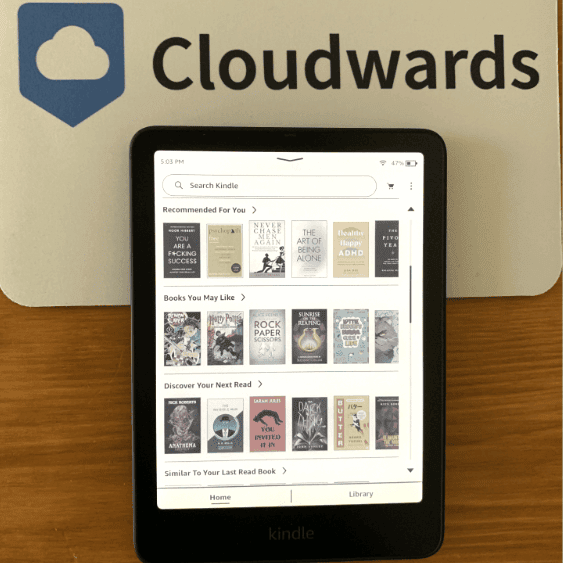
The text is crisp enough for reading. However, in comparison with the Paperwhite, the contrast between black and white isn’t as striking. Black text isn’t quite as rich, and the background has a faint beige tint that’s noticeable in bright light.
That said, the front lighting does a good job of balancing brightness across the screen. There’s no visible bleeding or color fringing, even at high brightness levels. It’s a pleasant, natural display, even if it sacrifices a bit of sharpness for color.
Kindle Colorsoft Hardware, Design & Build
Like other Kindles, the Colorsoft sticks to Amazon’s clean, simple design, but I think it feels more refined overall. The matte case resists smudges and fingerprints, and the rounded edges make it comfortable to hold for long reading stretches. At just over 200 grams, it’s light enough to read with one hand, and it doesn’t feel flimsy.
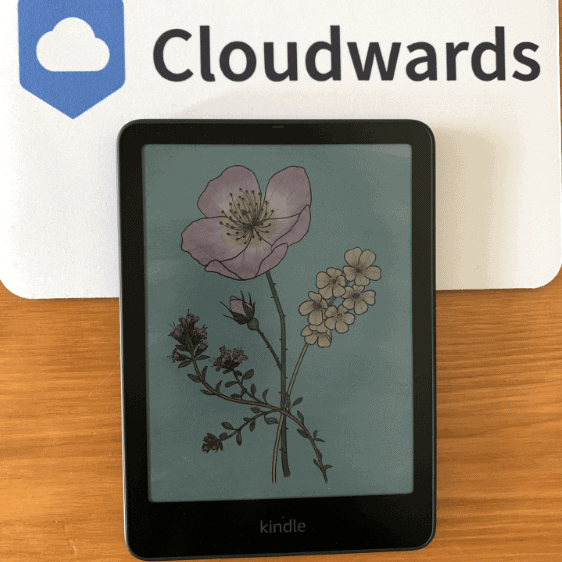
I particularly like the Colorsoft’s textured back; it feels grippier than the Paperwhite’s smooth surface. The bezels around the screen are narrow but leave enough space for a secure hold, and there’s a USB-C port and power button tucked along the bottom edge. It’s not a dramatically different design, but the Colorsoft feels both premium and practical for daily use.
Kindle Colorsoft Software
The Colorsoft runs the same familiar Kindle OS as other models in the Kindle line, which is both a strength and a limitation. Navigation is smooth and intuitive, and I like how quickly I could sync my library and reading progress across different devices. The color interface makes menus and book covers much more lively.
There aren’t a ton of software additions that take advantage of the color display, but a couple of nice options are available. You can highlight text in color, and you can switch between “standard” and “vivid” color modes. These features are subtle, but they make reading and note-taking a bit more engaging.
Kindle Colorsoft User-Friendliness & Reading Experience
The Kindle Colorsoft is very easy to use, with a responsive interface that is instantly familiar to anyone who’s used a Kindle before. Page turns are smooth, menus are laid out logically, and switching between books is simple. Even if you’re new to Kindles, the Colorsoft is intuitive from the moment you switch it on. Take a look at our Kindle user guide for more information.
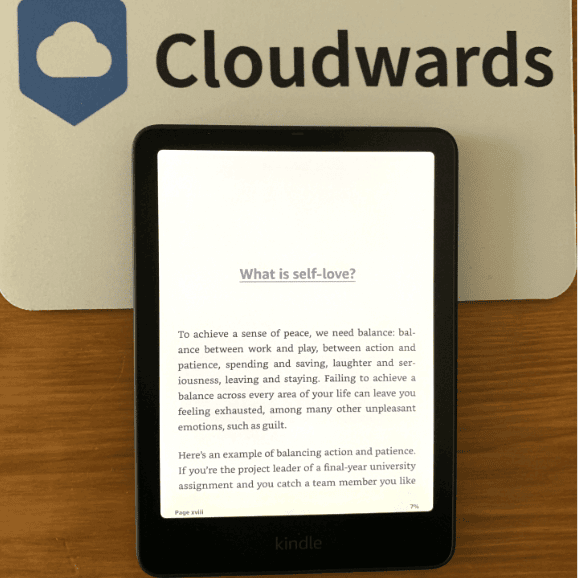
I found reading on the Colorsoft to be genuinely pleasant. The color display is warm, and I experienced no eye strain — even after reading for hours. I also like being able to choose between standard and vivid color modes. Standard looks more natural, while vivid provides a color boost that’s great for graphic novels.
Is Kindle Colorsoft Fast?
Yes, the Kindle Colorsoft is fast for the most part. Page turns are quick and fluid, and only a little slower than the Kindle Paperwhite. Navigating menus and books feels fast, and I didn’t notice any major lag. The only minor slowdown appears when loading image-heavy comics or novels, which is expected given the color rendering.
Does Kindle Colorsoft Have Good Battery Life?
The battery life is solid, providing around eight weeks of casual use on a single charge. However, it’s shorter-lived than other Kindles because the color display draws more power. Still, for daily reading, it lasts long enough that recharging doesn’t feel inconvenient. You get a full charge in about two and a half hours.
Pricing & Value: How Much Does Kindle Colorsoft Cost?
At Price not available for the 16GB version and Price not available for the 32GB version, the Colorsoft is one of the pricier Amazon Kindles. It’s significantly more expensive than the Paperwhite or base model Kindle, and you’re paying extra mostly for that color e-ink screen. If you enjoy comics, magazines or illustrated novels, though, the extra cost might make sense.
If you’re looking to build your collection of illustrated reads, you can also find free comics and graphic novels through Amazon. Learn how in our guide to free Kindle e-books.
Pricing Comparison
| Model: | Pricing |
|---|---|
| Kindle Colorsoft | Price not available (16GB), Price not available (32GB) |
| Kindle Paperwhite | Price not available (16GB), Price not available (32GB Signature Edition) |
| Kindle (base model) | From Price not available (16GB) |
Kindle Colorsoft vs Other Kindle Models
The Colorsoft is great, but it’s not the best Kindle model; that title belongs to the Paperwhite, which is sharp, affordable and has excellent battery life. The Colorsoft is a close second, offering an immersive reading experience that’s best for illustrated books and graphic novels.
Kindle Colorsoft  | Kindle Paperwhite 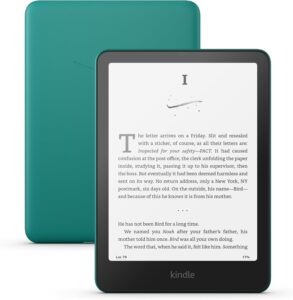 | Kindle Colorsoft Kids 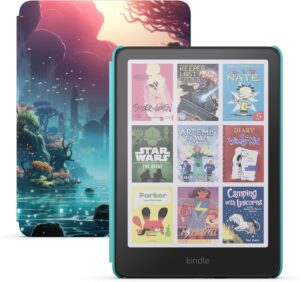 | Kindle Paperwhite Kids 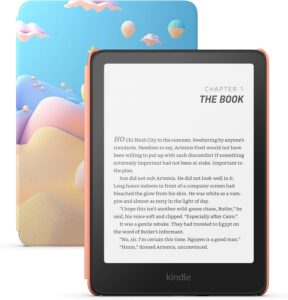 | |
|---|---|---|---|---|
| Pros |
|
|
|
|
| Cons |
|
|
|
|
It’s a costly device if you just want something for basic reading, in which case the base Kindle does a perfectly good job. However, if you want a touch of color without buying a full tablet, the Colorsoft strikes a good balance between functionality and fun.
The Verdict: Is Kindle Colorsoft Worth It?
The new Kindle Colorsoft is a solid step up, showcasing Amazon’s color e-ink technology without losing the charm of traditional reading. It’s ideal if you want color images. However, for pure text lovers, a monochrome Kindle like the Paperwhite offers better clarity and battery life.


Do you think the Colorsoft’s color screen is worth the upgrade? What other features would you like to see included in this Kindle model? Let us know in the comments, and thank you for reading.
FAQ: Kindle in Color
It depends. If you read comics, magazines or illustrated books, the color display adds a lot of value. Overall, the Paperwhite offers better screen contrast, battery life and value for money.
As a premium e-reader, the Kindle Colorsoft is completely ad-free.